• Banking

Zeller Contact Directory: Your Path to Better Business Relationships

5 min. read
By

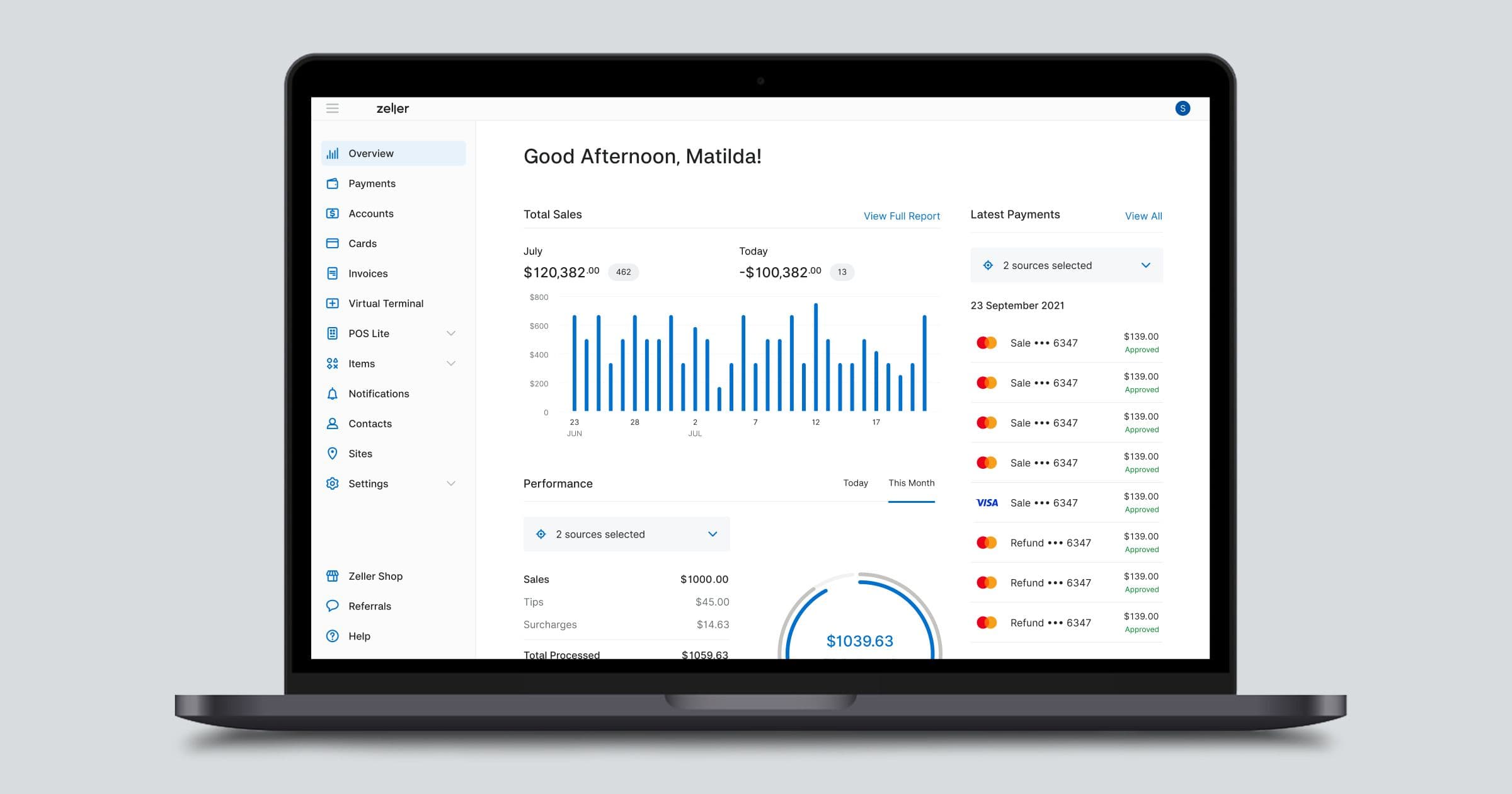
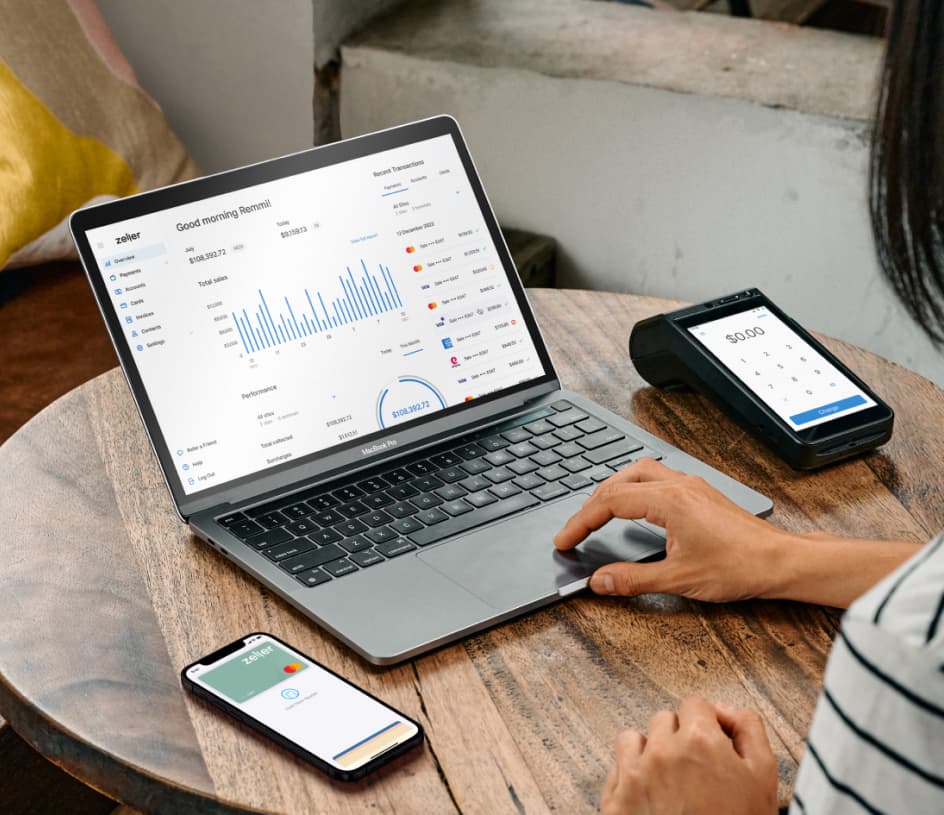
Store, manage and view all your contact information in Zeller Dashboard.

Relationships play vital roles in every successful business. Regardless of whether you’re new to the world of business ownership or growing an established venture, people are at the heart of everything you do. With this latest release, Zeller now helps you to strengthen those relationships.

Zeller Contact Directory is a new contact management tool used to store business and personal details, giving you one place to see every EFTPOS payment, transaction and account transfer processed with an individual or another business. Armed with that information, you are able to better understand your business and the customers who shop with you, as well as get valuable insights about your own business spending.

Introducing Zeller Contact Directory

At its most basic, managing contact data is as simple as using an address book to maintain up-to-date information about business contacts. Yet the real benefit of having contact data on hand comes from the way you use it — to strengthen relationships with customers, suppliers and other businesses, get better oversight of where business funds are being spent, and identify opportunities to grow your bottom line.

Zeller Contact Directory enables you to understand your transactions on a deeper level, and access information about your business quicker. Smarter business decisions are made with insight.

Designed specifically for running and scaling a business, Zeller Contact Directory is a free tool for all Zeller merchants. With this release, you can now create contacts in Zeller Dashboard — making it easier to run and build your business by building more meaningful relationships with contacts who pay you, and contacts who you pay.
contact directory - 2022 04 - supporting - v1

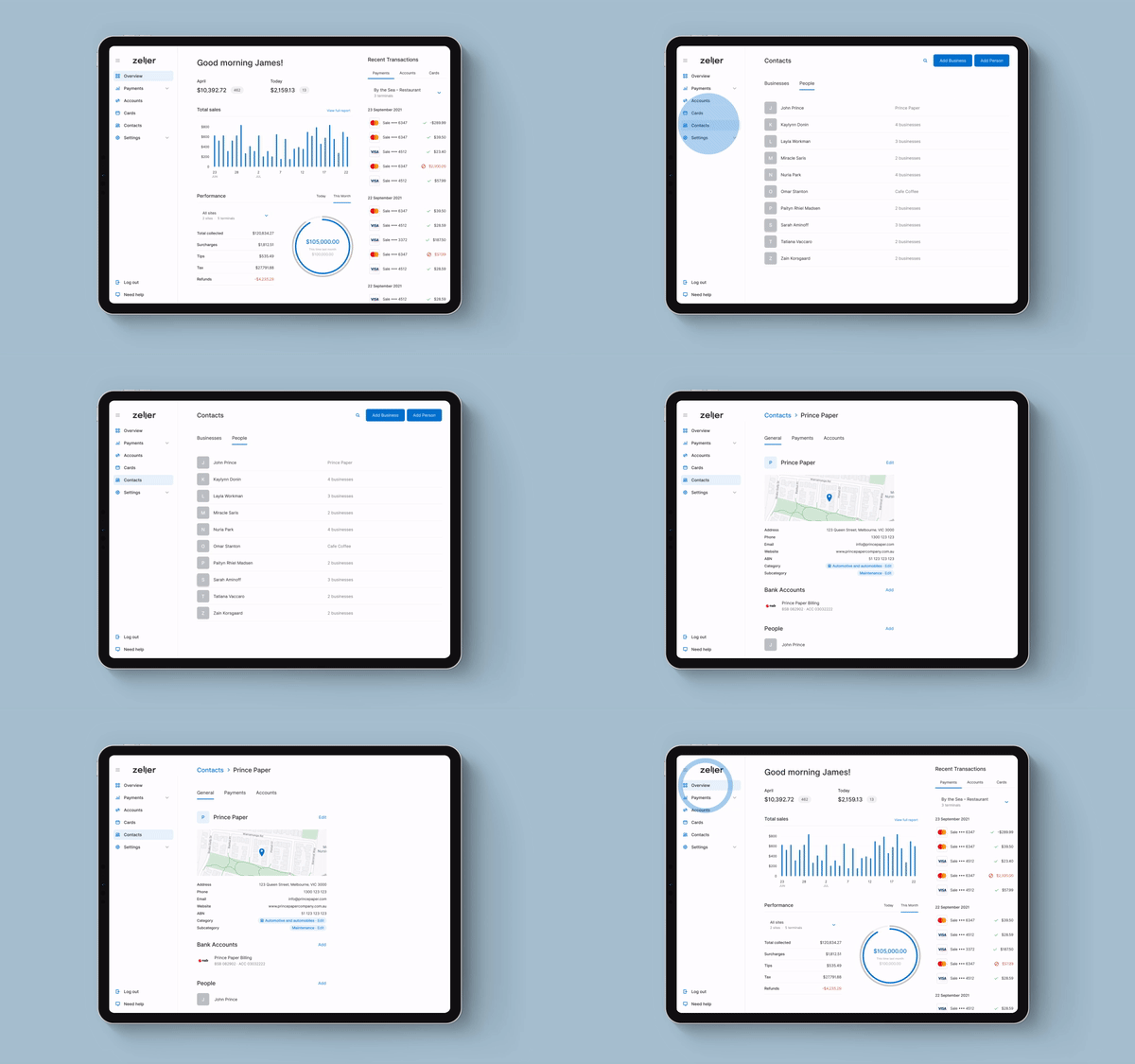
Contacts in the Zeller Dashboard.

How to get started with Zeller Contact Directory

Zeller Contact Directory is your central spot to manage all of your business relationships. With these new feature updates, there are several changes to your workflow when transferring money out of your Zeller Transaction Account, and assigning contacts to transactions and transfers.

  1. When you need to transfer money
    Transferring money is simpler by selecting a contact when processing a transfer. If your contact's details are not already populated, you can add them the next time you transfer money.

  2. Linking existing contacts to historic transactions
    Search your transaction or transfer history, and then link it to an existing contact. Any existing and future transactions or transfers will now be linked to that contact.

  3. Creating a new contact in your Zeller Account
    Once you've created a new Zeller Contact, you can then search your transaction or transfer history to select which transactions you want to link to that Zeller Contact.

  4. Learn more about the businesses you spend with
    Business details are automatically populated for transactions spent on your Zeller Mastercard, so you can understand more about the businesses you make purchases with.

Used to its fullest, Zeller Contact Directory provides you with instant access to important information about the people and businesses you interact with.

A holistic view of every contact

Zeller Contact Directory is made up of contact records that you create. There are two types of contacts in Zeller Contact Directory: individuals, and businesses. These contacts can be linked together, providing a holistic view of the relationship web.

Each contact can be populated with a wealth of information about an individual or business you interact with, including:

  • general contact information, such as emails, phone numbers, and addresses

  • categorise contacts and add custom tags, such as ‘supplier’ or ‘book keeper’

  • an image, for immediate identification

  • account details for bank accounts you transfer money to

  • notes, such as details customer preferences or information about previous purchases.

New view in Zeller Dashboard

To view the contact directory, click Contacts in the left pane of Zeller Dashboard. From here, click either Add Business or Add Person and follow the prompts to create a contact.

To search Zeller Contact Directory, select the search icon and begin typing the name of the contact or tag attached to that contact. All contacts matching the search criteria will be filtered below, for easy identification.

Create and link contacts with ease

There are multiple ways to create a contact in Zeller Contact Directory. Once a contact has been created, it can then be linked to transactions or bank account details within Zeller Dashboard.

As mentioned above, a business or person can be directly added to the Zeller Contact Directory. A contact can also be created from a transaction, or transfer.

To create a new contact, or link an existing contact to a transaction, click on any past transaction in Zeller Dashboard, then select Contact and begin typing. If a contact already exists, click it to assign the transaction to the contact. If a contact does not exist, follow the prompts. All historical and future transactions using the same card will be linked to that contact. Every time a customer uses that card to buy from you, the transaction will be attached to the contact in Zeller Contact Directory.

To link details of bank accounts you regularly transfer to, open the contact in Zeller Contact Directory. Navigate to Bank Account and select Add. From here, either select an existing account or follow the prompts to create a new one. All historical and future transfers will be attached to that contact.

Relationships are the foundation of business success

Zeller Contact Directory gives you a place to store valuable information about the individuals and businesses that interact with you. Having the ability to easily surface contact information enables you to grow meaningful relationships, whether it’s by greeting a person by name or remembering details of their last purchase. Yet there are a multitude of ways that information can be put to use to strengthen business relationships.

You might want to make your repeat customers feel more welcome in store by training staff to provide a more personal customer experience, using the rich data attached to the customer’s contact record to suggest new products or services. Or you might use it to streamline the way you deal with other businesses, like your supplier.  Being able to easily bring up contact details for your key supplier, including the name and direct number of your account manager as well as a list of every purchase made using business funds, makes it easy to manage things like repeat orders and better understand your spending.

Relationships are at the heart of business. The more visible information about your contacts is, the more opportunities you have to strengthen those ties. Stay tuned to discover more ways to use Zeller Contact Directory to grow your business.

5 New Zeller Features and Enhancements to Discover

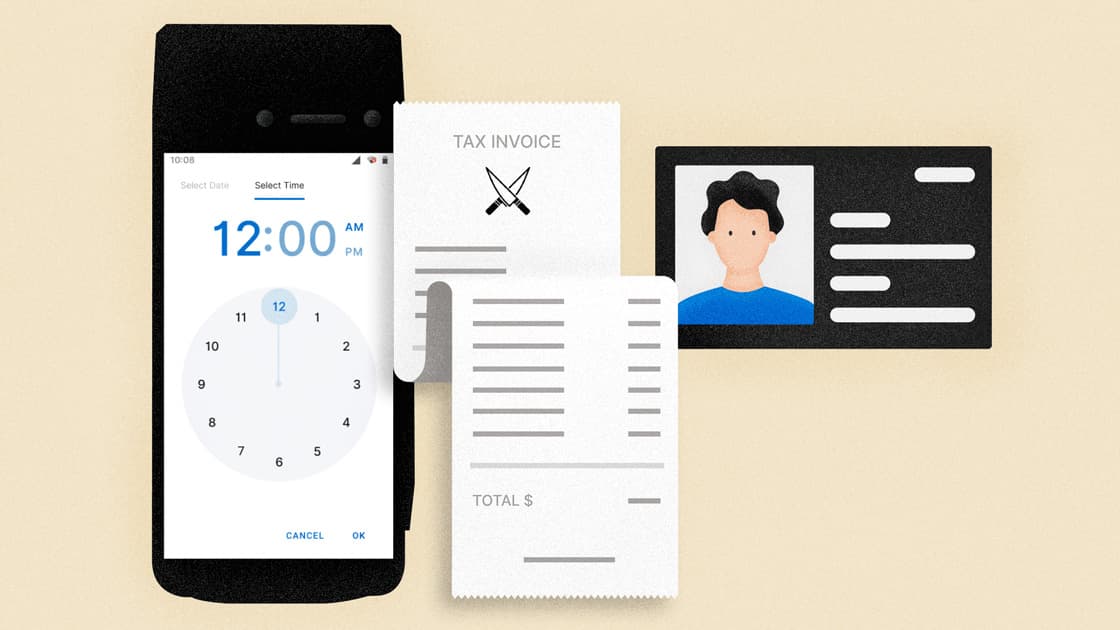
Discover the latest Zeller updates, designed to help grow your business. New Zeller features are released almost every fortnight. Sometimes they’re under the radar — things like faster transitions between screens, for example. Our developers are quick to take advantage of advances in technology to continuously streamline your EFTPOS tools . Other new features are bigger, and have the potential to level-up your business and the way you accept, manage and spend business funds. To help you stay up-to-date with the latest Zeller updates and adjust your business processes to make the most of them, we put together a list of the latest updates you may not know about: Hourly reporting on Zeller Terminal and in Zeller Dashboard Understand more about your spending with rich transaction data Store receipts in Zeller Dashboard New sounds to signal transaction status An enhanced Zeller SIM Card experience Keep reading to learn more and get best practices for these new updates to set your business up for success. Hourly reporting on Zeller Terminal and in Zeller Dashboard Hourly reporting on Zeller Terminal and in Zeller Dashboard Zeller’s transaction reporting functionality is now more powerful than ever. With this latest enhancement, you have the ability to filter and report on transactions accepted via Zeller Terminal — within a specific timeframe of your choosing — from your terminal itself, as well as within Zeller Dashboard. From within Zeller Dashboard and on Zeller Terminal, merchants can view a list of all transactions together with information such as purchase amount, card type, and site name. With this latest update, transactions can be filtered for any desired date and time range. You can leverage this functionality to filter and report on transactions across multiple business days, quickly pinpoint transactions that occurred within a short period of time, or report on extended business hours where trading continues into the early hours of the next morning — an especially handy feature for pubs, clubs, and late-night restaurants. If your business trades past midnight, this enhancement will make end-of-day reconciliation a much easier task for even the most junior members of staff. Simply instruct your team to set the filter parameters on Zeller Terminal to reflect your business’ trading hours by setting the hours and minutes on the clock face on either the Transactions, Terminal or Site Reports screen, and reconcile the total amount transacted with your point-of-sale. By default, transaction reports will continue to be generated for the 24 hour period of any given day. Read more about filtering transactions by time here . Understand more about your spending with rich transaction data Since launching Zeller, we’ve made it our goal to help you manage the entire payments and financial side of your business from one ecosystem. That means Zeller not only gives you the fastest way to accept payment from every customer and have that money settled in to your Zeller Transaction Account overnight, it also enables you to use those funds and track spending via Zeller Mastercard. In Zeller Dashboard, you can now see detailed information about where and how your business funds are being spent. As a business owner, the ability to easily identify and understand all of your business relationships — including relationships with the business you transact with — is critical. The newly launched Zeller Contact Directory stores business and personal details for customers, suppliers, as well as the businesses where you spend money using Zeller Mastercard. This level of transparency enables you to better understand where and how business funds are being spent, giving you the opportunity to deepen those business relationships. Whenever you use Zeller Mastercard, a contact record will be automatically created within Zeller Dashboard and populated with rich information about the business where the purchase was made. Next time you open a transaction on Zeller Dashboard, you’ll see information such as the business name, address and more — helping you to understand the places where business funds are being spent, and gain a deeper understanding of how and who you transact with. The next time you buy from that same business using Zeller Mastercard, the transaction will be stored against the business’ contact record. You also have the ability to add additional information to these business contact records, including: transaction notes. an accounting category, to simplify expense management a category and sub-category, to assist with budgeting custom tags, such as ‘supplier’ a transaction receipt Keep reading to discover more about Zeller’s new receipt upload functionality. Store receipts in Zeller Dashboard Tired of filing every paper receipt? How about trawling through reams of receipts to identify business deductions come tax time? With this latest update, you won’t have to. We’ve lightened the administrative load by giving you a place to store receipts digitally, within Zeller Dashboard. Simply upload a photo or PDF of a receipt from either a purchase made using Zeller Mastercard or a transfer from your Zeller Transaction Account and save it to the appropriate transaction record. This simple functionality makes bookkeeping that much easier. New sounds to signal transaction status Zeller Terminal will emit a new two-tone sound to indicate that a transaction has failed. This sound is easily distinguishable from the new tone emitted when a transaction is successful. When you’re serving customers in a busy or noisy environment, these new sounds will help your team to quickly identify the status of every transaction. If a customer’s payment is declined, the declined tone will be emitted and the reason for the failed transaction will appear on the terminal screen. This enables staff to quickly identify the issue and invite the customer to progress the sale another way. An enhanced Zeller SIM Card experience A smattering of enhancements make it easier than ever to manage your Zeller SIM Card , ensuring that no matter where you’re selling — you’re able to accept cashless payments. The latest enhancements include: the ability to nominate your Zeller Transaction Account or a third party account as the billing account from which to deduct the monthly $15 fee for unlimited data If your account falls overdue, the nominated billing account appears on-screen so you can easily identify the account with insufficient funds. full terms and conditions conveniently available to view on Zeller Terminal Keep up with the latest Zeller updates and announcements by subscribing to the Zeller Business Blog newsletter below.

Zeller Dashboard: The Powerhouse Behind Your Business Cash Flow

The difference between a business that thrives and one that stalls often comes down to one thing: how well cash flow is managed. In this article, we explain why having a real-time reporting engine like Zeller Dashboard is key to your cash flow management strategy – and why your bank is holding you back . The key to healthy business cash flow is twofold: monitoring and acting . Knowing where your cash is coming from and going is one thing; using that insight to guide your decisions is another. Master both, and you’ll strengthen your business’s financial health – setting yourself up for long-term success and growth.  However, keeping track of your finances can quickly become overwhelming when cash is moving through multiple bank accounts, EFTPOS systems, invoicing tools, and expense platforms. One of the smartest cash flow management strategies is to bring everything together in one place. That’s where Zeller Dashboard comes in. By uniting your business’s financial activity in one online dashboard, it gives you detailed insights and real-time visibility that your traditional bank can’t match. From tracking sales and invoice payments to managing expenses and accruing interest, read on to discover three ways you can harness Zeller Dashboard to take control of your business cash flow. What is Zeller Dashboard? Zeller is an all-in-one financial platform that helps businesses accept payments, manage their money, and pay expenses – all from one place. At the heart of it is Zeller Dashboard: a central hub for tracking your financial position in real-time, and enabling you to use that data and insight to improve business cash flow. It transforms your financial information into clear, actionable reports and insights that help you make smarter, more informed decisions. Every way that cash flows in and out of your business is tracked on Zeller Dashboard. Read on to learn how. 1. Cash flow in: card payments, invoices, and POS See all your incoming sales in one place – no matter how your customers pay. In Zeller Dashboard, your latest transactions are automatically compiled into a single report under the Payments tab (and in the Latest Payments preview on the Overview page). This report brings together payments from five different sources: Terminal, Point of Sale, Invoice, Dashboard, and Zeller App. Below, we’ve outlined each source and explained how to uncover specific insights for each within Zeller Dashboard. 1. Terminal Terminal refers to any payment accepted through Zeller Terminal . If your business uses multiple terminals, you can rename each device for easy identification and more detailed tracking. For example, to find a specific transaction processed at your ‘Front Bar – St Kilda’ device, simply filter transactions by that terminal name. You can also assign terminals to specific sites, allowing you to view all payments from a particular location by filtering by Site. To filter transactions, go to Payments > Transactions, then click on the magnifying glass icon in the top right hand corner. 2. Point of Sale Point of Sale refers to any payment processed through your POS system – whether it’s Zeller POS Lite or another POS integrated with Zeller Terminal . If you’re using Zeller POS Lite, you can view detailed insights into your sales within Zeller Dashboard by navigating to the POS Lite tab. Here, you’ll find visual reports showing your Top Items by Revenue and Top Items by Quantity Sold. For deeper analysis, you can export a detailed sales breakdown – including the number of units sold, prices, SKUs, and categories – to create customised reports. You can also filter by specific dates and times, such as reviewing how many of one item you sold during the Christmas period last year compared to the year before, helping you forecast stock and ingredient orders more accurately. 3. Invoice Invoice refers to any Zeller Invoice paid by card (invoices paid via bank transfer appear in the Finance tab – see below). In the Invoices tab, you can view all your invoices – paid, unpaid, or drafted – and filter them to find exactly what you need. You can also create new invoices directly from this tab, making it easy to manage your billing in one place. To see a rolled-up or month-by-month summary of all your invoice payments, head to the Overview page and filter by Invoices. This gives you a clear snapshot of your invoicing performance and cash flow at a glance. 4. Dashboard  Dashboard payments refer to any payment received via Zeller Virtual Terminal . This feature lets you send a secure payment link directly from Zeller Dashboard via email, SMS, or any platform you choose. Your customers can then pay privately using their card details, from anywhere, at their convenience. You can find more detailed reporting about these payments under Transactions within the Payments tab. 5. Zeller App  Zeller App Payments refer to any sales made using Tap to Pay on Zeller App , an EFTPOS solution that works on Apple and Android smartphones. Like Zeller Terminal, you can name your devices for easy tracking – for example, ‘Helen’s iPhone XR’ – and assign them to specific sites, then filter transactions by device or site on the Transactions page. Sales from the above channels are settled nightly, 365 days a year. Once settled into your Zeller Transaction Account , your balance is updated automatically on the Accounts page, as well as in the Finance tab on the Overview page. From here, your funds are ready to be used.  2. Cash flow out: debit cards and expense management Once your funds have settled, they’re ready to pay for your business expenses. For even greater clarity on where your money is going, Zeller Dashboard lets you create unlimited accounts and cards, giving you detailed insights into your outgoing cash flow. A smart cash flow management strategy is to set up multiple Zeller Transaction Accounts for different purposes – for example, marketing, direct costs, GST/PAYG/Super, operations, payroll, rent, or subscriptions and software. You can then link individual Zeller Debit or Corporate Cards to each account. Corporate cards are especially useful for managing team or project expenses, allowing you to set individual budgets, reset periods, and maximum transaction limits per card. In the Accounts tab, you can view your total available balance at a glance and track all transactions, including settlements, transfers in and out, and card spending. 3. Cash accrued: growing your business savings and cash flow management strategies By regularly monitoring the Payments and Finance tabs in Zeller Dashboard, you’ll gain a clear picture of your business’s cash inflows and outflows over time. What you do with these insights is what will make the biggest difference in improving your cash flow. Here’s how you can harness Zeller Dashboard to inform decisions that strengthen your finances: Daily: Review transactions in real time Whether you’re on your laptop or checking via the Zeller App , make a habit of reviewing sales and expenses throughout the day. Watch for anything that seems out of place – unusually low transaction values or unexpectedly high expenses. You know your business, so spotting outliers is often quick and easy. Once a week: Review the previous week’s sales At the start or end of each week, compare last week’s sales in Zeller Dashboard against your goals or past results. If you’ve fallen short, act early: increase sales, cut non-essential spending, or both. This could mean ramping up marketing efforts or pausing discretionary expenses until cash flow improves. Once a month: Identify trends With a month of data, start spotting patterns – busiest days, peak trading hours, and product performance. Use these insights to optimise staffing, opening hours, and stock levels, ensuring you’re resourced where and when demand is highest. Comparing month-to-month or year-on-year data can reveal seasonal trends. For example, October is the time to prepare for the busy summer season: reviewing last year’s sales can help you know when to hire Christmas casuals or order extra stock. Ongoing: Build a cash reserve Once you know roughly how much surplus cash you generate each week – profits not needed for immediate spending – consider scheduling automatic transfers to Zeller Savings Account , where these funds can earn up to 4% p.a. interest. A cash reserve is essential for covering late payments, rising overheads, overstocked inventory, or seasonal fluctuations. It also provides a safety net for unforeseen expenses, like equipment breakdowns, legal costs, sudden operational increases, or economic downturns.

Replace your Outdated Business Bank with Zeller

Everything you'd expect from a business account — and more. As a business owner, you want to focus on growing your business. Whether your goal is to scale up, increase your profits, or explore new opportunities — our growing range of financial services products enable you to take that next step. We have expanded our product suite to include three new, powerful products that will help more Australian businesses — like yours — to grow. Zeller Debit Card New and improved Zeller Transaction Account Zeller App As with all Zeller products, these new offerings work just as well together as they do with your existing solutions. When used in conjunction with Zeller Terminal, they give you a complete view of your incomings and outgoings — enabling you to get a better handle of your business cash flow. Yet, as part of the exciting evolution of Zeller, you can also opt to use each of these products as a standalone replacement for your current business bank account . Zeller is a new and powerful replacement for your business accounts and cards, enabling you to store, save and spend your money better. Keep reading to learn more about how Zeller is reimagining business banking by developing innovative products to help you run your business better — with no lock-in contracts, monthly fees or need to visit a bank. Reimagining business banking for Australian businesses In 2021, over 3 in 5 Australian business owners reported that they would prefer to manage their business finances through a non-big 4 bank. Tired of the lengthy set-up processes and paperwork, slow settlement, hidden account fees and fine print, it was clear that business owners desired a powerful new alternative. Zeller launched that same year to offer a smarter alternative to outdated business banking solutions serving Australia’s thriving business ecosystem — supporting merchants to grow their cash flow and profitability as they emerged from the pandemic with products that enable them to access their funds faster, gain valuable business insights, manage expenses more efficiently, and sell to their customers in more locations. Now we’ve expanded Zeller’s suite of products to offer a complete financial services solution that’s everything you'd expect from a business bank, but better. The release of these new products marks an important milestone for Zeller in becoming a financial services provider that meets all of your business financial needs — from accepting payments to managing your finances, paying employees and bills, tracking your expenses, reporting on business growth, streamlining bookkeeping and more. With Zeller, you can say goodbye to your outdated business bank. No matter what your financial services needs are, we are developing the solutions to power them — with no monthly fees, no paperwork, no need to visit a branch, and no lock-in contracts. Meet Zeller’s suite of new, powerful financial products Use them all or pick one to plug into your existing tech stack, Zeller offers a suite of financial services products to power up your business — including EFTPOS payments and invoices, accounts and cards, with new solutions for expense management coming soon. Zeller Transaction Account When you sign up for your Zeller Account, you get a free, powerful Zeller Transaction Account that you can use to replace your traditional business bank. Or, simply sign up for your free Zeller Transaction Account and use it without any other Zeller products. It’s the most powerful business Transaction Account for any business stage or type — complete with your own BSB and Account Number. Once set up, you can create as many additional accounts as you like. Zeller Transaction Account comes with features to see a full overview of all of your payments, transactions, expenses, spending and invoices across your top suppliers and customers, and manage expenses in real-time with ease. You can transfer funds to and from your Zeller Transaction Account instantly, then rack all your incomings and outgoings with up-to-the-minute Xero Bank Feeds, to streamline reconciliation. Using your Zeller Transaction Account in conjunction with Zeller Termina l gives you the fastest possible access to your funds, so you can put your money to use. Funds accepted via Zeller Terminal are settled to Zeller Transaction Account nightly, 365 days a year. Zeller Debit Card As you grow your business, you’ll need to purchase stock; pay bills, suppliers and employees; and keep track of it all so your budget is under control. Zeller Debit Card , which replaces Zeller Mastercard, is linked to your free Zeller Transaction Account so you can spend funds as soon as they settle to your account. With Zeller, you can create unlimited, free virtual cards and assign cards to employees in seconds so they can make business purchases in-store and online. Then, add notes and upload receipts so you know where your money is going. If your card ever goes missing, it’s simple to lock or cancel the card in an instant via Zeller Dashboard or Zeller App. Whether it’s a round of coffee for staff, or your business’ electricity, you can pay for it with Zeller Debit Card — plus, you’ll get access to exclusive cardholder benefits and rewards with every dollar you spend. Purchases made in Australia are always fee-free, and there are no annual card fees. Zeller App The Zeller App is the only app you need to manage your accounts and cards, EFTPOS and payments, invoicing and expense management, and more. Whether you operate a startup or a scale-up, you can run all of your business finances from your mobile phone, no matter where you are in the world. With Zeller App , you can: transfer funds fast between accounts order and issue, activate and cancel Zeller Debit Cards for you and your team view sales reports view your entire transaction list and details for all your Zeller Transaction Accounts, Zeller Debit Cards and funds settled from Zeller Terminal add notes to your transactions and more. Zeller App is available and free to download from Apple’s App Store  and Google Play . Zeller Terminal Whether you’re accepting payments in-store, on the go or over the phone, Zeller Terminal ensures customers are able to pay for your goods or services quickly and securely. When you’re just starting out, having an EFTPOS machine helps establish legitimacy with customers and affords incredible efficiencies; you don’t want to be sending customers to an ATM or requesting bank transfers. When you’re operating a busy business, an EFTPOS machine that processes customer payments in seconds helps to cut down queues and increase customer satisfaction — ensuring their final touchpoint with your business is a positive one. Make use of intelligent functionality such as: integrations with 600+ point-of-sale systems to streamline payments custom surcharging to pass on your cost of acceptance in full tipping prompts to grow your tips by 30% customisable receipts for additional business branding and much more. With 99.999% uptime and the option to add a Zeller SIM Card so you can process payments when Wi-Fi or personal hotspot isn’t available, Zeller Terminal ensures you’re always ready to sell. In-person payments cost just 1.4% per tapped, dipped or swiped transaction, while over-the-phone payments cost 1.7% to reflect the additional security measures required to keep your business safe. If your business processes over $250K in card payments per year, you may be eligible for a custom rate. Funds accepted via Zeller Terminal are settled to your Zeller Transaction Account overnight, 365 days a year, and available to spend using your Zeller Debit Card the very next day. Zeller Terminal comes in black and white, and is available from Zeller Shop , with free express shipping and same-day dispatch. There are no lock-in contracts, terminal rental fees or hidden charges. Zeller Dashboard Having the ability to see, track and report on your incomings and outgoings is key to running a successful business. Zeller Dashboard provides one convenient location to see your incomings and outgoing in real-time, manage your EFTPOS terminal settings, create reports, keep track of business performance and more — from wherever you are. Understanding where your money is coming from, and then being spent, is key to healthy cash flow. It also makes tax time easier and enables you to find opportunities to cut spending to support business growth. For example, using Zeller Dashboard you can instantly identify which times and days of the week your business is the quietest. With this information in hand, you can make informed decisions about whether to change your opening times, close on public holidays, reduce your staff, and much more. Zeller Contact Directory works hand in hand with Zeller Dashboard, allowing you to better understand the customers who shop with you and get valuable insights about the businesses you spend with. This powerful functionality gives you one place to see every EFTPOS payment, transaction and account transfer processed with an individual or another business — and it’s included free. Make the switch today Whether your business is big or small, Zeller products can help you run more efficiently and meet your next growth milestone. Plus, all Zeller merchants get free access to live support in under five minutes. Our team of experts is on hand to help you with any queries you may have, and are available via phone call or text, email, and social media. Sign up for your free Zeller Account today in under five minutes to get started, or speak to Zeller Sales about a custom package designed to suit your business needs.